
What You’ll Learn
- Uploading files to multiple child sites simultaneously
- Setting upload paths and destinations
- Supported file types list
- Adding support for custom file types
- Deploying staged files through the Abilities API
Extension Add-on - This add-on provides standalone functionality within MainWP Dashboard. No third-party plugins required.
The MainWP File Uploader Add-on is a simple way to upload files to your child sites from one centralized location. It gives you the ability to upload multiple files to all of your child sites simultaneously.
Upload Files to Child Sites
1
Log in to your MainWP Dashboard
2
Go to the MainWP > Add-ons > Administrative > File Uploader page
3
Click the Choose File button and upload the wanted file (alternatively, drag&drop files to the marked area)
Click the Choose File button and upload the wanted file (alternatively, drag&drop files to the marked area) 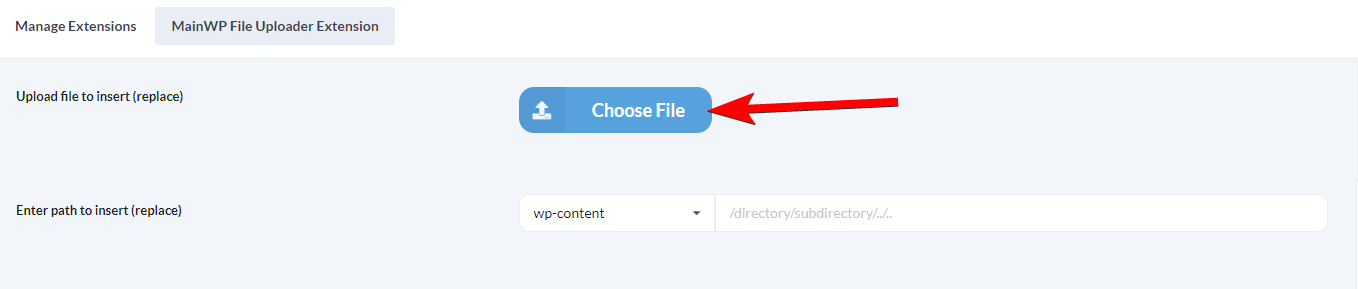
4
Set the upload path
Set the path where you want to upload your file(s).NOTE: If a directory does not exist on the child site, it will be created.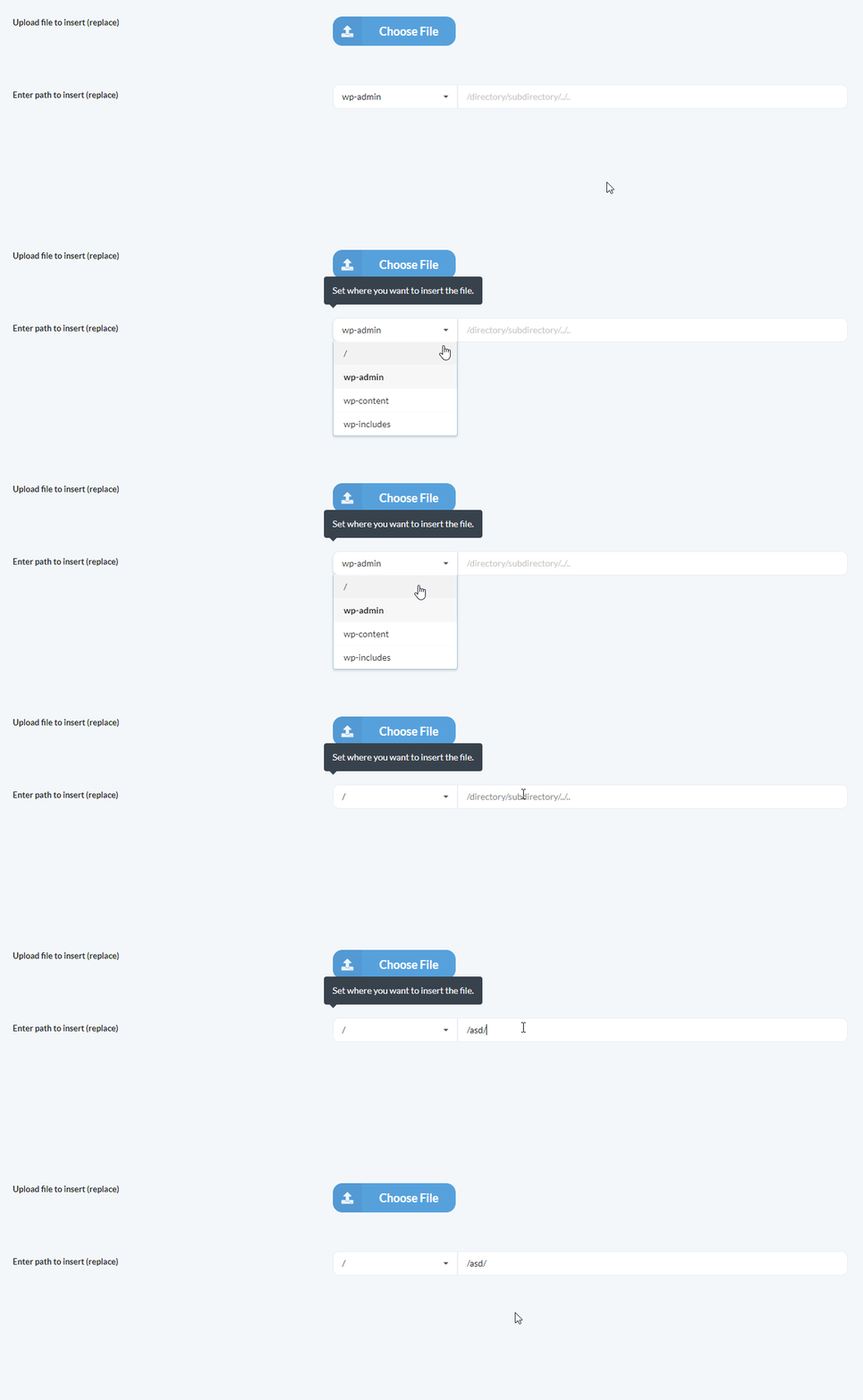
5
Select where you want to upload the file(s)
Select websites, tags, or clients where you want to upload file(s)
6
Click the Upload File button
Verified Deployments to wp-content Folders
When the upload path is insidewp-content/uploads, wp-content/languages, wp-content/plugins, wp-content/themes, or wp-content/mu-plugins, File Uploader uses a verified deployment. The Dashboard keeps a private staged copy of each uploaded file. MainWP Child confirms the written file’s size and SHA-256 digest before the upload is reported as successful.
- If a Child site runs an older MainWP Child version without verified deployment support, File Uploader falls back to the standard upload for that site.
- Uploads to other folders, such as the WordPress root,
wp-admin, orwp-includes, use the standard upload. - Staged files are limited to 50 MiB each, 100 files, and 500 MiB in total per Dashboard user.
- Uploading to
wp-content/plugins,wp-content/themes, orwp-content/mu-pluginsrequires the plugin or theme editing capabilities. SettingDISALLOW_FILE_EDITon the Dashboard blocks these destinations. - In
wp-content/uploads, File Uploader refuses server-executable and server-configuration files such as.phpor.htaccess.
Abilities API
The Abilities-enabled File Uploader release adds eight WordPress abilities. Use them to read the staging policy, list and delete your staged files, preview and start a deployment to one Child site, check its status, and roll it back within 24 hours. See File Uploader Abilities for requirements, permissions, request examples, and error handling.Supported File Types
- .php
- .css
- .xml
- .js
- .txt
- .zip
- .rar
- .ico
- .html
- .po
- .mo
- .dat
- .jpg
- .jpeg
- .png
- .bmp
- .gif
- .doc, .docx
- .ppt, .pptx, .pps, .ppsx
- .odt
- .xls, .xlsx
- .mp3
- .m4a
- .ogg
- .wav
- .mp4, .m4v
- .mov
- .wmv
- .avi
- .mpg
- .ogv
- .3gp
- .3g2
Add Support for a Custom File Type in File Uploader
By default, the MainWP File Uploader Add-on doesn’t support all file types. By using themainwp_file_uploader_allowed_file_types filter, it is possible to add support for any file type. In this example, we will show how to add support for the JSON file type:
1
Install and activate the MainWP Custom Dashboard Add-on
Install and activate the MainWP Custom Dashboard Add-on
2
Go to the PHP section (MainWP > Add-ons > Administrative > Custom Dashboard > PHP)
3
Paste the following code snippet and Save Changes
Related Resources
- File Uploader Abilities - Deploy staged files through the Abilities API
- Development Add-ons - Browse all development tools
- Custom Dashboard Extension - Add custom snippets
- System Requirements - PHP configuration settings